Who it’s for
For any team that delivers on a date.Whatever the work is.
If a project has more than one owner, an order things must happen in, and a day it has to be ready, Kurdinator is built for it. Your own way of working becomes the blueprint; every plan comes from it, with an owner on each task, the critical path that sets the date, and a timeline the client can read.
The same problem, in every industry
The scope is sold. The plan is in someone’s head.
01
The order lives in one person
Whoever sold the work knows what comes first. Everyone else finds out in a group chat, usually when it is already late.
02
The date is fixed; the path to it is not
Approvals, permits, suppliers, builds — each has a lead time. Nobody sees which one is actually deciding the finish until it slips.
03
“Where are we?” has no honest answer
A timeline slide redrawn for each meeting, or a reassurance. Neither moves when the work moves.
What it fits
Any work with a date, an order and more than one pair of hands.
Kurdinator knows nothing about your sector until you tell it. What it needs is the shape of the work, and that shape is the same whether the deliverable is a building, a launch, a campaign, an opening or a programme for an authority.
01
A date that does not move
A handover, an opening, a go-live, a submission. Something is owed on a day, and the day is not yours to change.
02
Steps that have an order
Approvals before builds, permits before works, suppliers before installs. The order is what decides whether the date holds.
03
More than one owner
Departments, positions, a client who signs things off. Nobody holds the whole plan in their head, so the plan has to hold it.
Your industry is whatever you write when you set up the workspace. The blueprint is written from your own SOPs or a short description of how a project runs, and every plan comes from that — not from a template someone else made for a sector.
What Kurdinator does with it
Your way of working becomes a blueprint. Every plan comes from it.
Tick the services sold, answer the blueprint’s questions, and the engine builds the tasks, the order and the dates — with each approval as a gate.
Every task goes to a position. Publish, and each person is told what is theirs and when — by email when yours is connected.
Lavender marks the tasks with no slack. Move one and everything that depends on it follows, and the finish date tells you.
Share a read-only timeline: the phases, their dates, progress. No sign-in, no internal plan, and it stops opening the moment you say so.
Real screens
What your team and your client see.
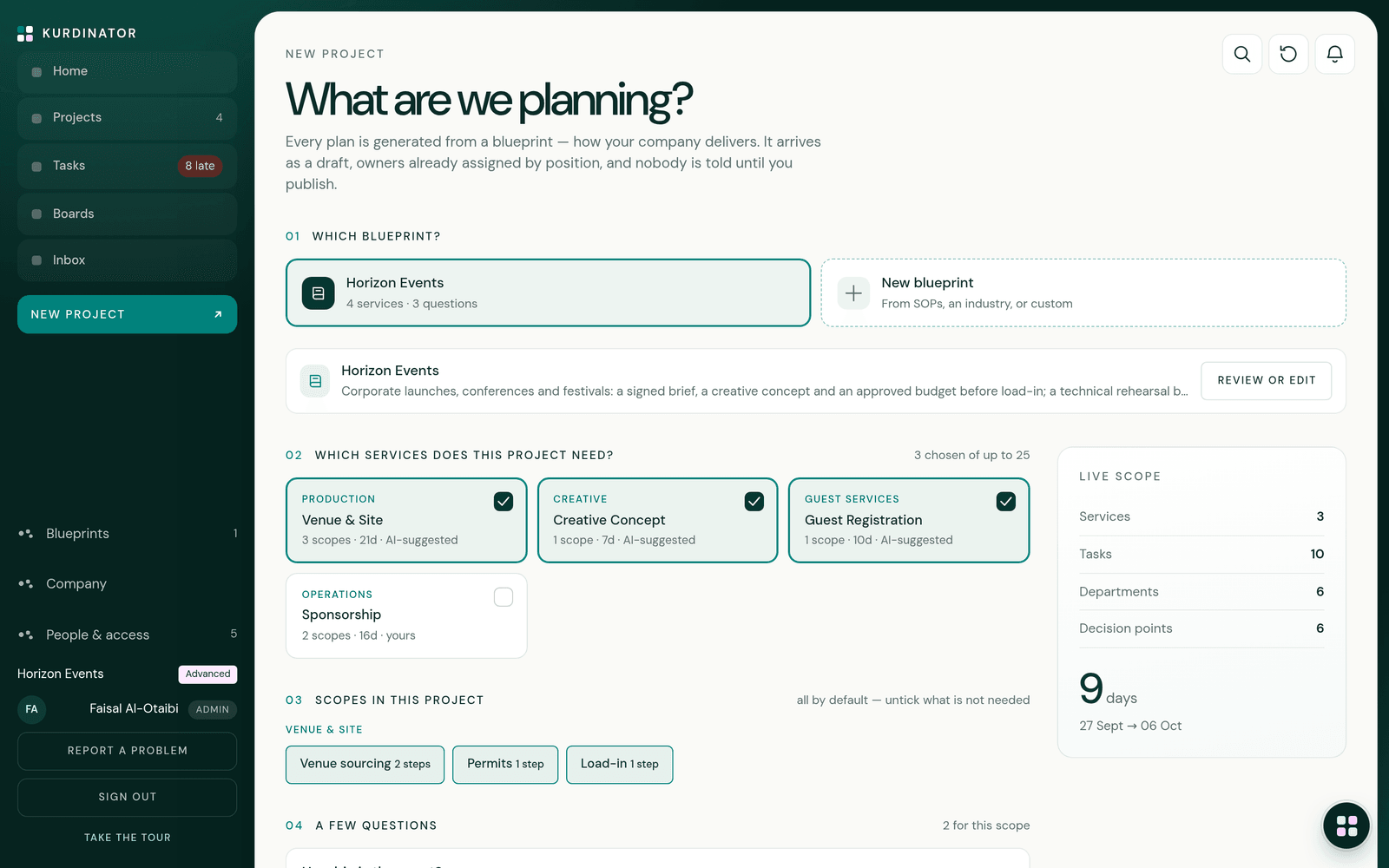
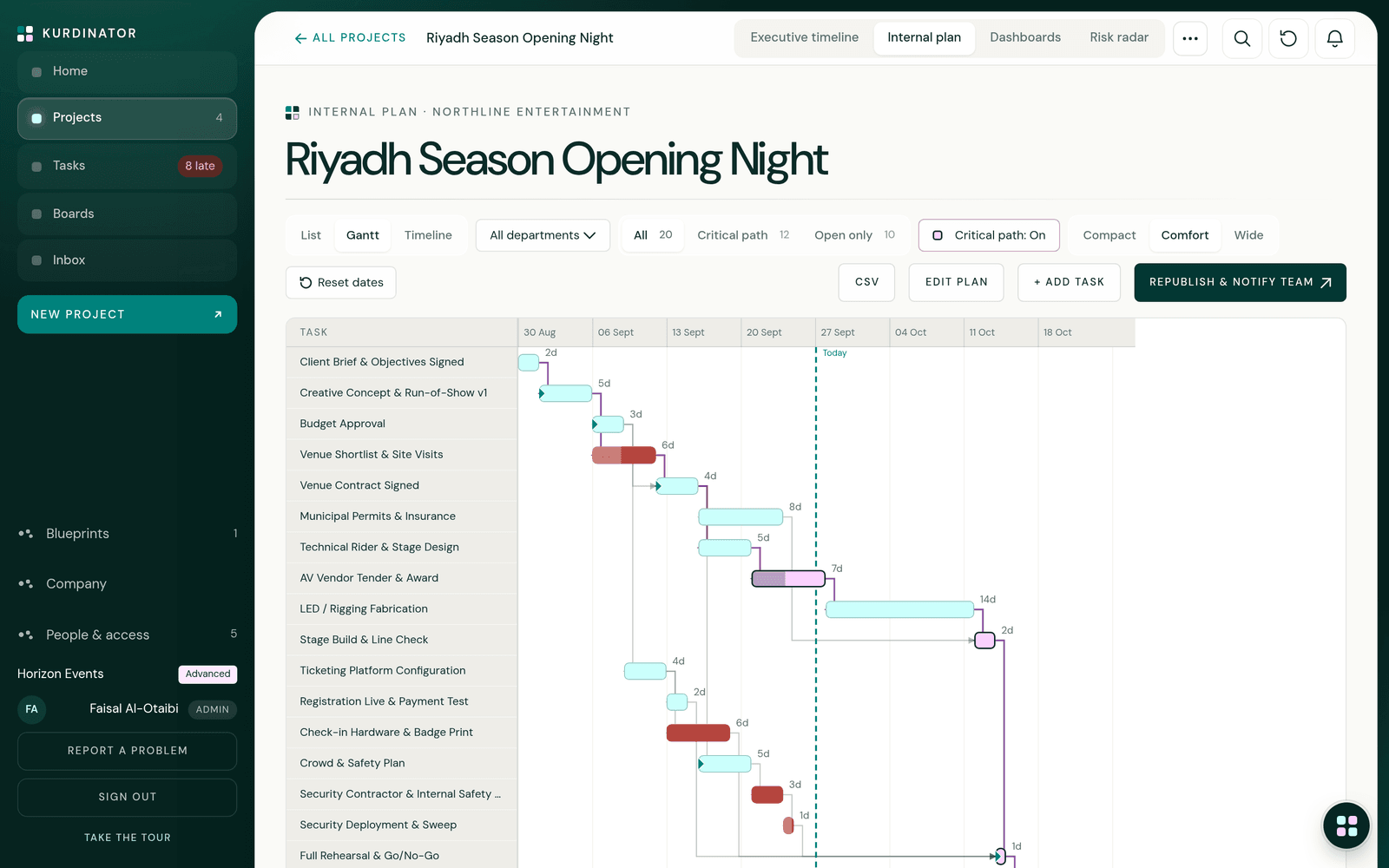
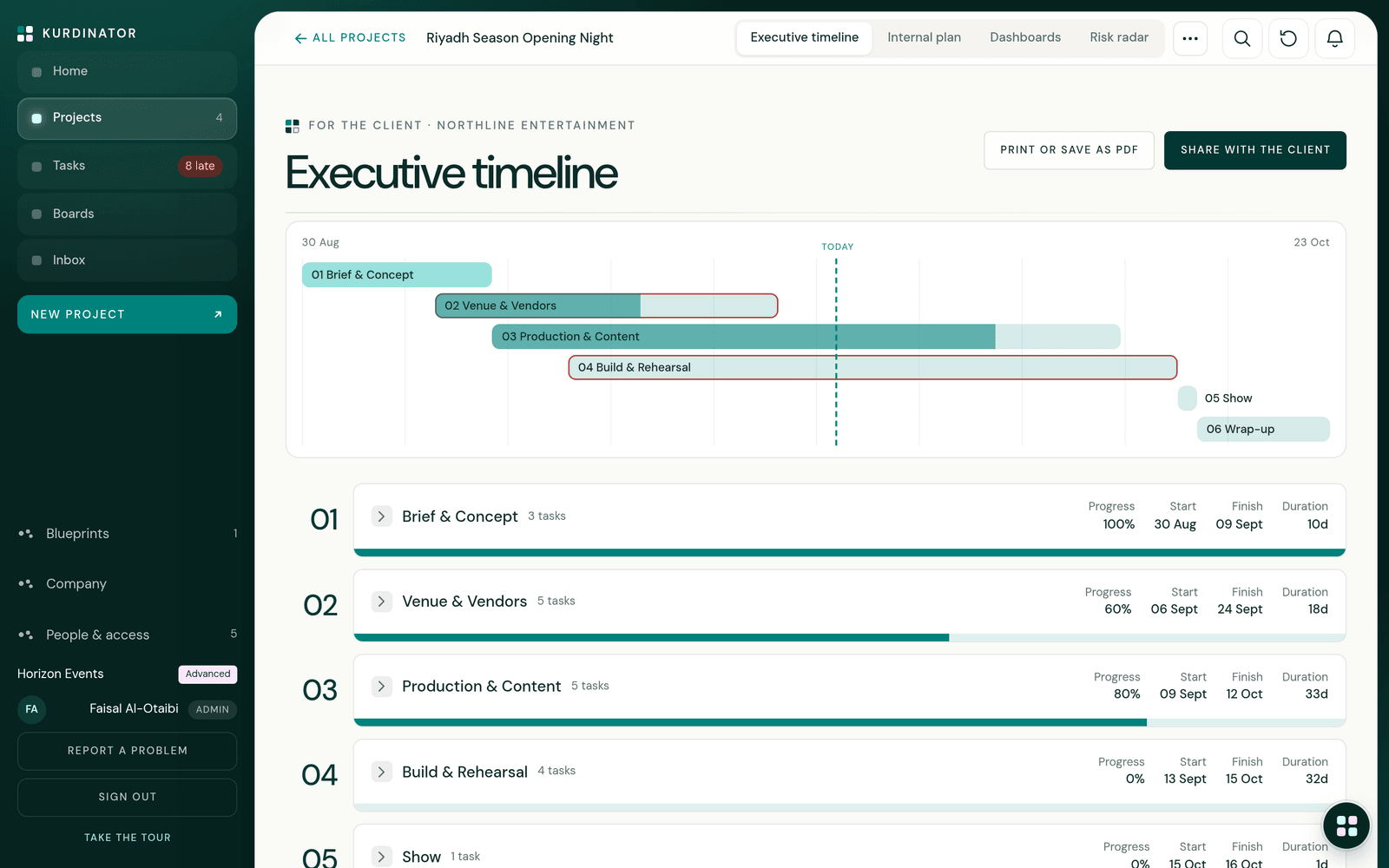
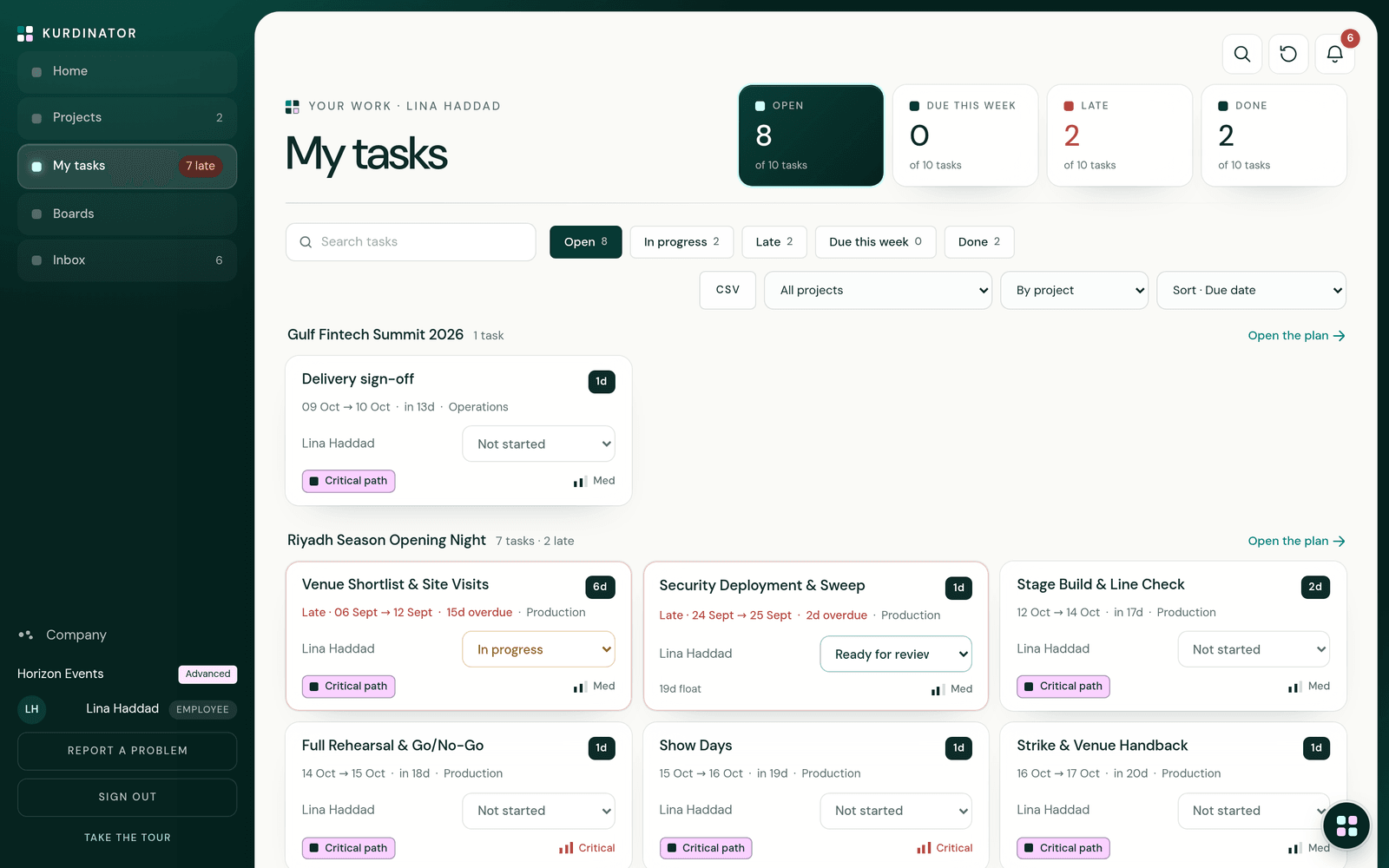
What it is not, yet: no calendar of working days, no integrations, no Arabic interface. The sample company in these screens is invented; its durations are illustrative, yours come from your blueprint.
Questions
Asked before starting.
Is it made for a particular industry?
No. The product knows nothing about your sector until you tell it. A few standard methods exist as starting points; most workspaces write their own blueprint from their SOPs or a description of how a project runs.
Do I have to upload SOPs?
No. A few paragraphs on how a project runs is enough to start; documents make the blueprint more exact. Everything the AI suggests is labelled as a suggestion, apart from what your documents state.
We already have templates. Why this?
A template is a list you copy and fix by hand. A blueprint is generated from the scope — the services you tick and the answers you give change the tasks, the durations and the order — and it carries the critical path, which a template never does.
Does it schedule around weekends and holidays?
Not yet. Scheduling is by calendar day, and durations are the ones in your blueprint. Check the dates against your calendar before you commit them to a client; that is the honest position today.
Who sees what?
Admins see everything. Employees see the plans they are on and update only their own tasks. The client link shows phases and dates, nothing else.